✦ WEB PERSONALIZATION

Real-Time Web Widgets to Boost Conversions

Plumb5's inbuilt personalization app offers a comprehensive rule engine for visitor engagement on your website or commerce store. Select your audience group, assign an interaction type, and deliver targeted, personalized messaging — no developer required.

15+Interaction templates
25+Rule conditions to combine
No-codeScript generated for you
Plumb5 rule builder showing an IF condition on behavioral score and source triggering a THEN lead generation form widget
HOW IT WORKS

It's Simple: Select, Set, Generate

Select your interaction type, set your content and conditions, and generate an embed script to add to your pages. Set rule-based workflows for your interactions so engagement continues right through to goal completion.

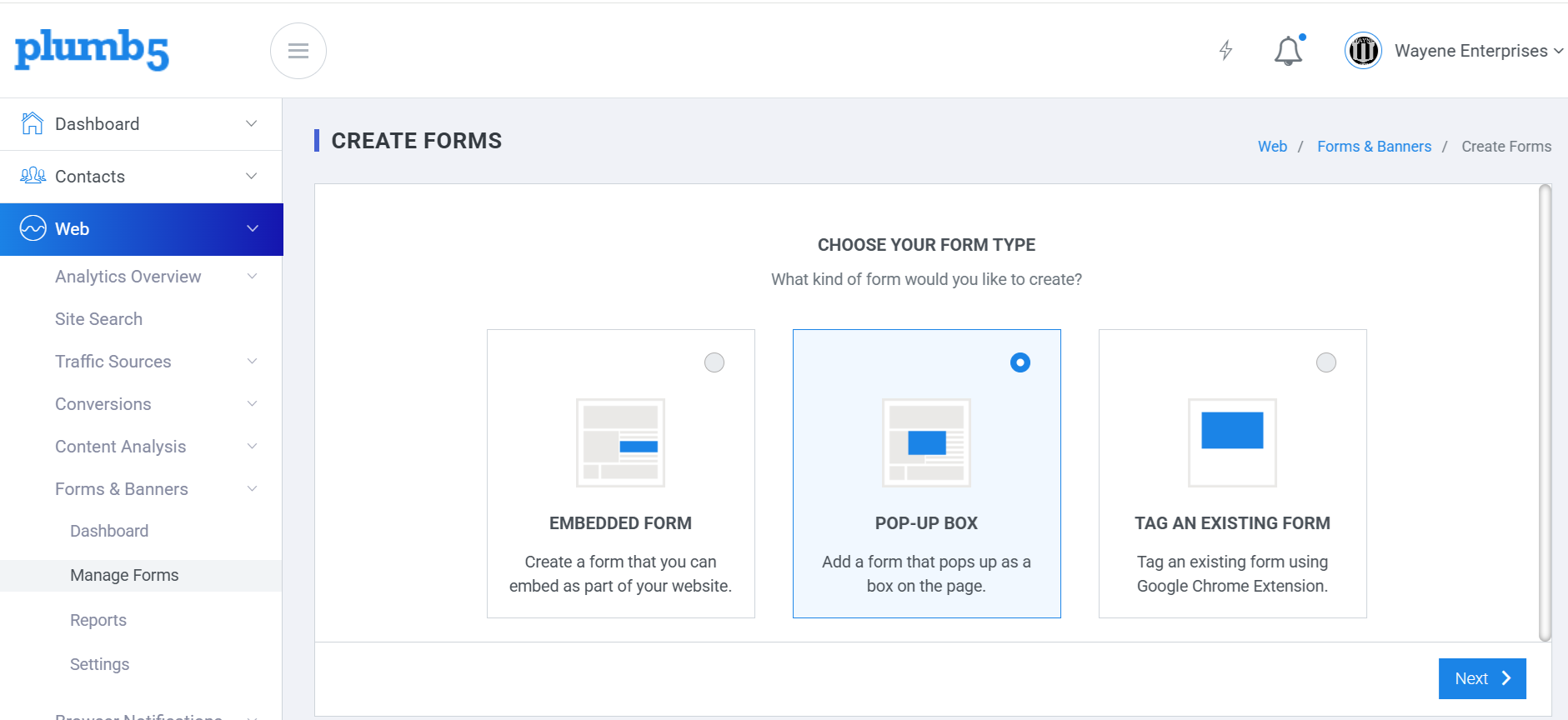
1Select your audience group and assign an interaction type
2Upload messages or tag content to the interaction type
3Generate the script and add it to your pages
Plumb5 rule builder and interaction gallery preview
INTERACTION GALLERY

Select a Template, Tweak It, Ship It

Select an interaction template, tweak it with your own content and style, assign rules, and generate the script for your webpage.

✦ View Live Interaction Gallery Demo →

Ask a Question

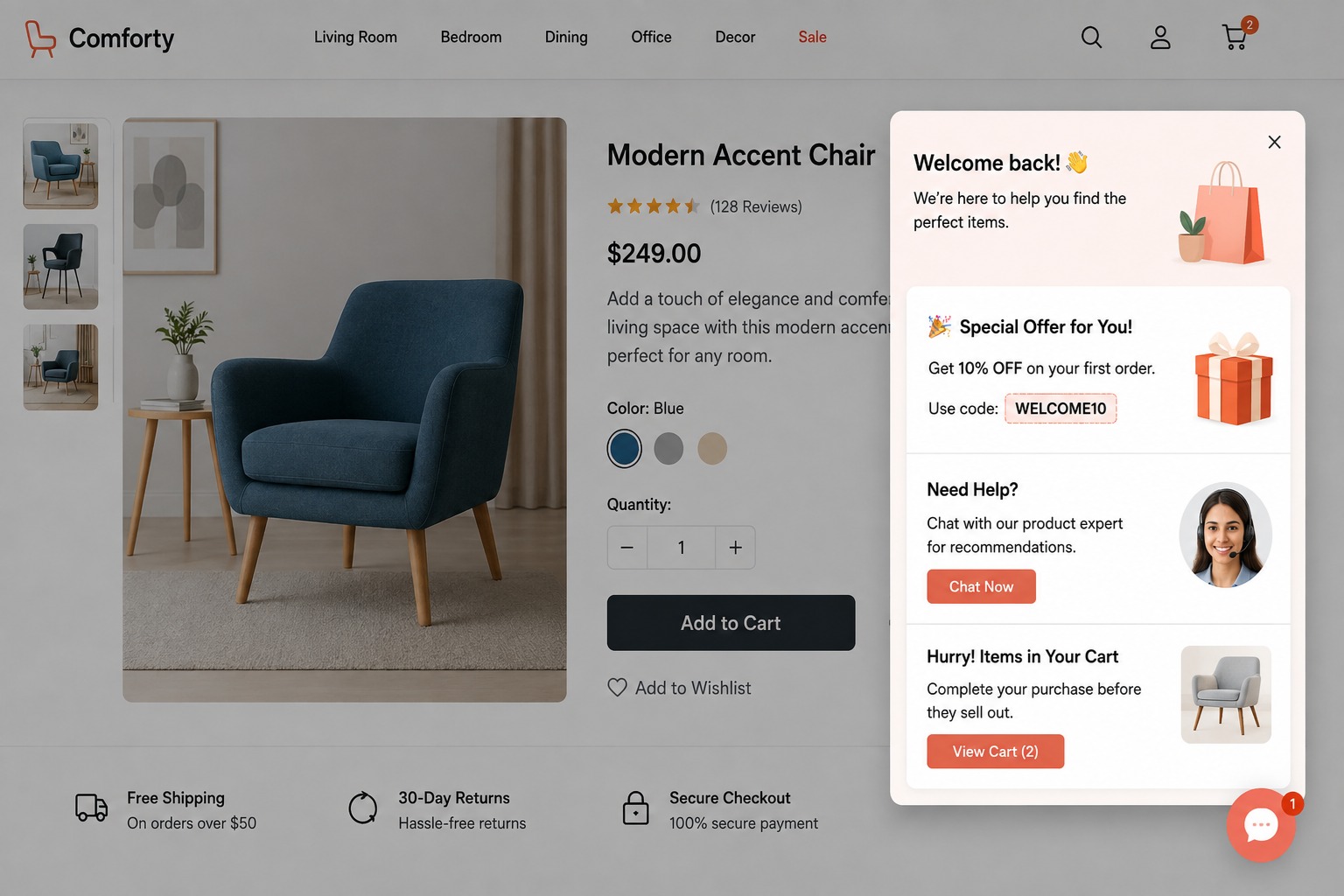
Pop a question and collect insights from your browsing visitor. Questions are the easiest interaction type — done with a single click.

Know Their Choices

Present a multi-select poll so your audience can easily select their options — and gather tags for recommendation.

Identify Visitors

Enable a pop form for unidentified visitors and capture email addresses, so offers and announcements can reach them.

Lead Generation

Present a lead form to repeat visitors with a high intent score, so you can address their specific needs quickly and drive conversion.

Ratings

Show a rating scale to customers who have already used your product and gather insights about their views.

Chat

Chat with your visitors when they're online and help them find products quickly, using the panel to show product images and build great experiences.

Video

Entice your prospect with a relevant product video, popped based on groups — and monitor which visitors respond.

Custom Banner

Show a unique banner based on visitor responses, and move them back onto the goal path.

CONFIGURING RULES

Combine Conditions to Trigger the Right Moment

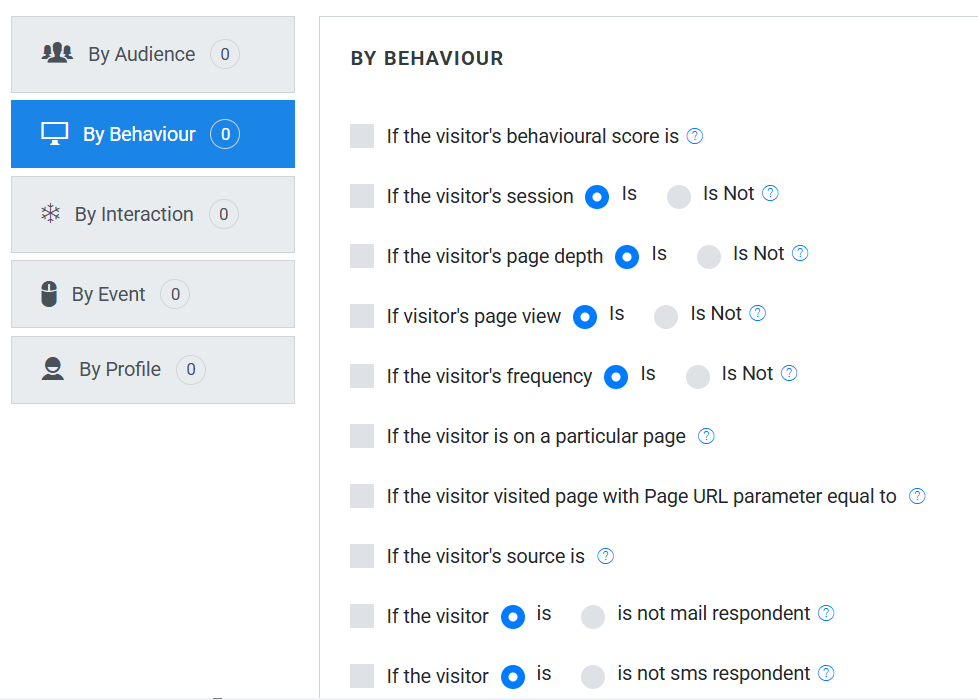
Assign a combination of conditions to your interactions so that engagement is triggered exactly when those conditions are met. All changes and updates can be managed from the Plumb5 dashboard — making it easy for marketers to configure everything themselves.

Plumb5 rule builder combining behavioral score and source conditions
SAMPLE CONDITIONS

A Few of the Rules You Can Combine

If the visitor is unknownUnknown visitors are anonymous users, tracked by IP, with no email tag attached. This rule displays your content to unknown visitors only.
If the visitor is a lead or a prospectLeads or prospects are visitors whose visiting IP is tagged to an email id, but whose purchase status is null. This rule displays your content to leads only.
If the visitor is a customerCustomers are visitors whose visiting IP is tagged to an email id with a customer tag, once you've integrated your store data with Plumb5.
If the visitor's total behavioral score isFor agile marketers: if you've enabled scoring for frequency, recency, time spent, page depth or actions, you can display content based on the aggregated score.
If the visitor's page depth isEngage based on how deep a session has gone — for example, show one message at the third page and a different one at the fifth.
If the visitor's source isShow a relevant banner to a visitor coming from a particular source — for example, someone who clicked your Facebook campaign.
If the visitor added these products to the cartDisplay targeted messages or offers based on "add to cart" events, once event-tracking is enabled on your Plumb5 tracking script.
If the visitor dropped a product from the cartDisplay personalized messages or offers based on a visitor's drop-out tags, once your store data is integrated with Plumb5.
If the customer's total purchase isDisplay personalized messages or offers based on a browsing customer's total purchase points.
If the customer/prospect's online sentiment isDisplay personalized messages or offers based on sentiment — from social posts or responses to your engagement campaigns.
If the customer's RFMS score isShow key messages to visitors with a low score, as they could be drifting prospects or customers you're at risk of losing.
Ready to build your first rule?

See the interaction gallery and rule engine set up on your own site.