✦ ANALYTICS & INSIGHTS

See Every Visitor, Live on Site

Monitor activity as it happens on your site or app. The Realtime dashboard refreshes continuously — every 5 seconds — so you can see exactly how many people are on your site right now, and which pages or events they're interacting with.

5 secRefresh interval
30 secLive visitor chart window
LiveGeographic visitor map
🔒 app.plumb5.com/realtime-dashboard
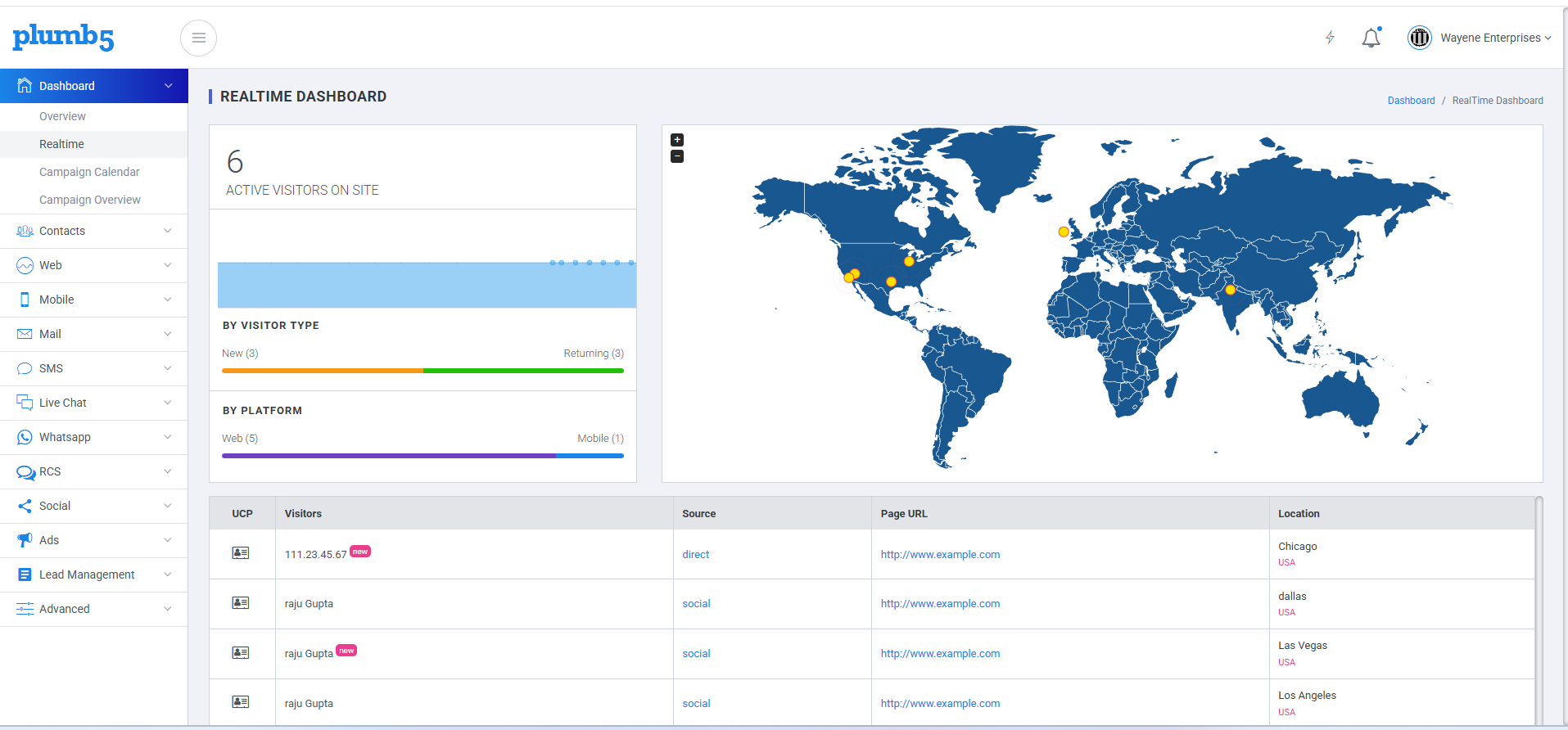
Plumb5 Realtime Dashboard preview
HOW TO USE THIS VIEW

React the Moment It Happens

With Realtime, you can immediately and continuously monitor the effect that new campaigns and site changes have on your traffic — no more waiting for tomorrow's report.

1Monitor whether new or changed content on your site is being viewed
2See whether a one-day promotion is driving traffic, and which pages users are viewing
3Monitor the immediate effect on traffic from a blog or social post
4Verify that your tracking code is working correctly on your site or app
Plumb5 Realtime Dashboard showing active visitors, visitor type, platform split, live map, and user details grid
ACTIVE VISITOR COUNT

Watch Traffic Build in Real Time

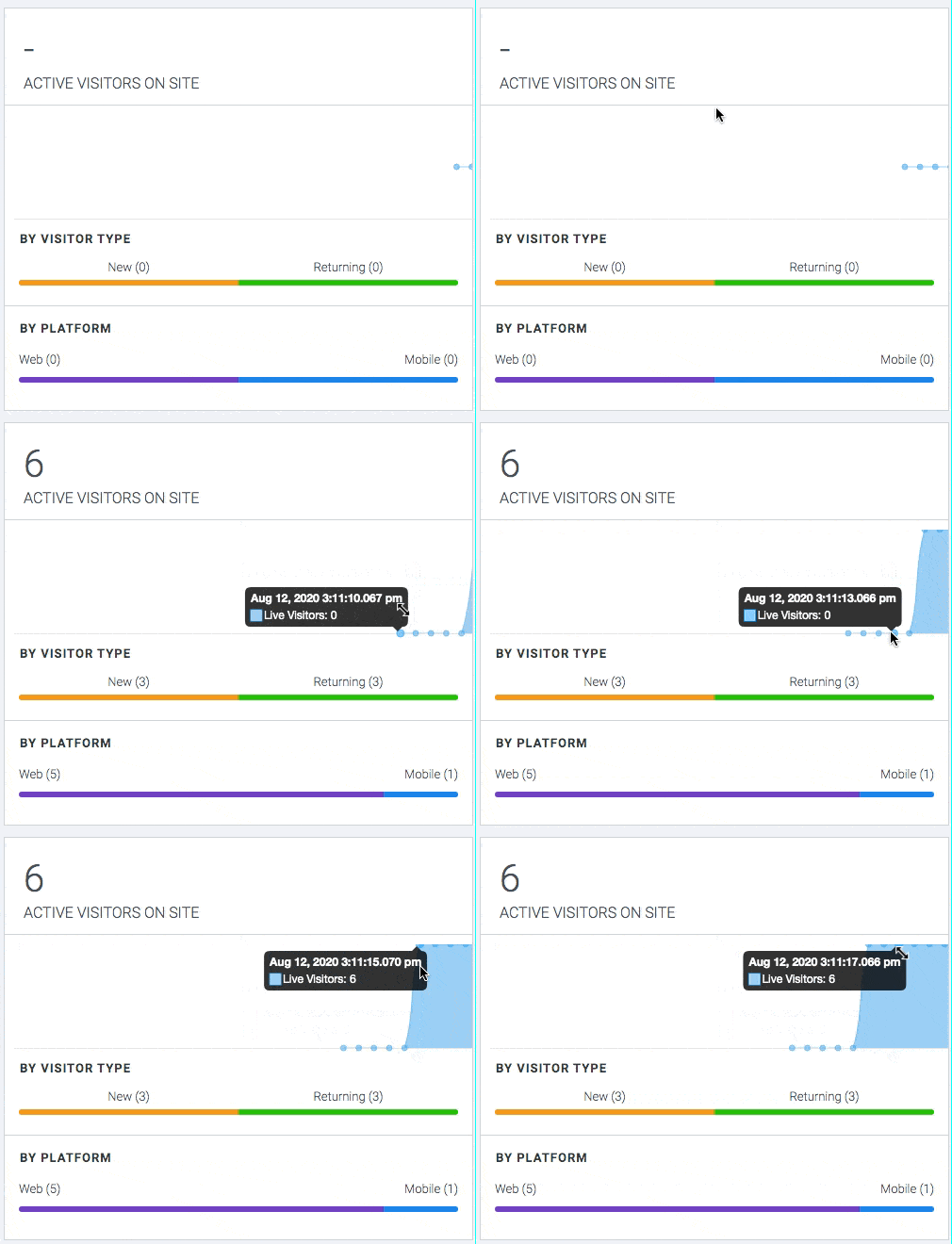
A streaming bar chart shows the last 30 seconds of active visitor data on your website — refreshed continuously as sessions start and end, so you always know the current pulse of your traffic.

Each spike is instantly broken down two ways: by visitor type — New vs. Returning — and by platform — Web vs. Mobile — so you can tell at a glance whether a traffic surge is coming from a fresh campaign or your loyal audience coming back.

Plumb5 Realtime active visitor count widget, showing streaming visitor chart split by visitor type and platform
LIVE LOCATIONS

See Exactly Where They're Browsing From

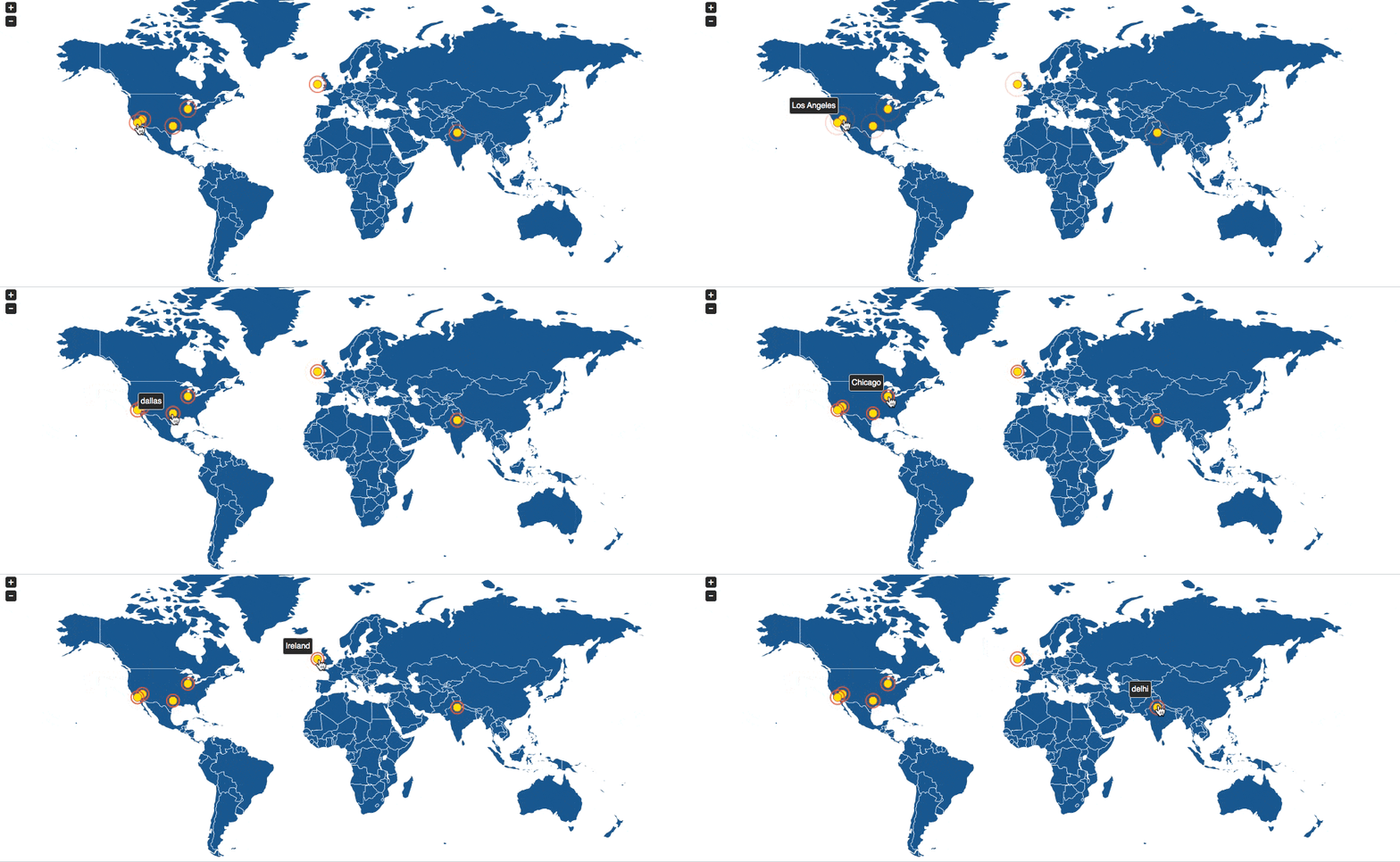
The Realtime Map plots the geographic location of every active visitor on your site or app right now. Watch clusters form as a campaign lands in a new region, or confirm that traffic from a specific market is showing up as expected.

Locations update continuously alongside the visitor count — so the map and the chart always tell the same live story.

Plumb5 Realtime map showing geographic locations of active visitors
USER DETAILS

Drill Into Every Individual Session

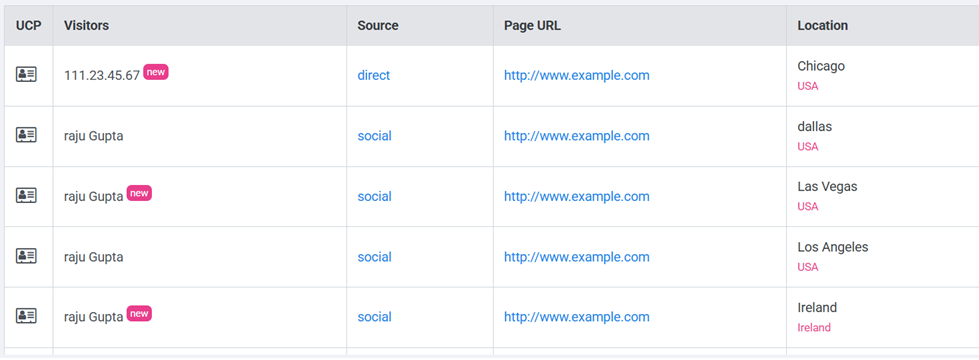
Below the chart and map, a live table lists every active visitor with the detail your team needs to act on it immediately:

UCPUnified Customer Profile — see every other interaction this visitor has had with you, past and present.
VisitorsThe visitor's ID — an IP address if unknown, or a resolved email if the user is already known.
SourceWhere this session's traffic came from — direct, social, search, and more.
Page URLThe exact page the visitor is browsing right now.
LocationCountry and city-level detail for this session.
Plumb5 Realtime user details grid showing UCP, visitor ID, source, page URL, and location

Want to watch your traffic live?

See the Realtime Dashboard in action on your own website data.